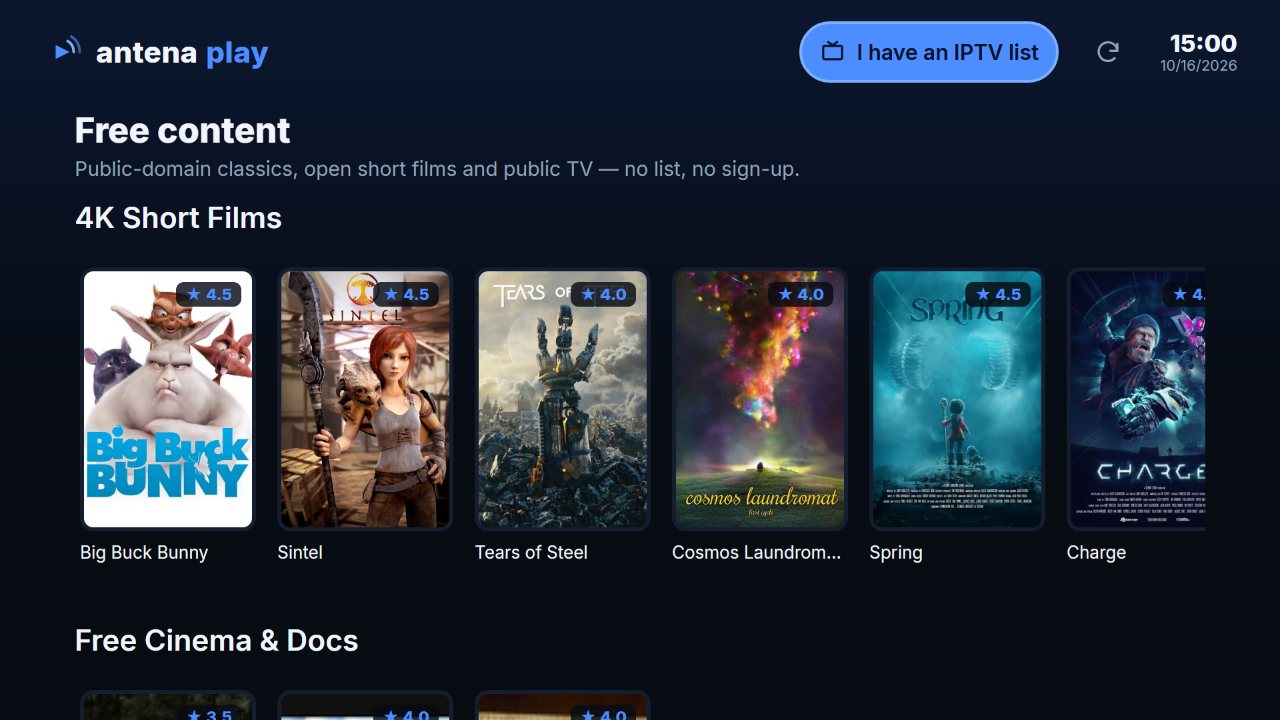
How to install on Roku
- On the remote, press Home and go to the Streaming Store.
- Choose Search and type antena. Look for our logo in the Apps row, since the search brings up similar names.
- Open it and confirm with Add. The app joins your apps list.
The app is published in Brazil and 17 more Roku stores, including the United States, Canada, the United Kingdom, Mexico and Latin America.
How to add your IPTV playlist on Roku
- Open the app and choose I have an IPTV playlist.
- Under Sign in with, choose Xtream server or M3U playlist and fill in your playlist's details.
- Confirm with Add playlist. Channels show up by category.
Your Antena Play account e-mail never goes in the Username field. Server, username and password are the ones from your playlist. If the app rejects them, check them with whoever provided the playlist.
Step by step, with screenshots
Add your list
Your first list
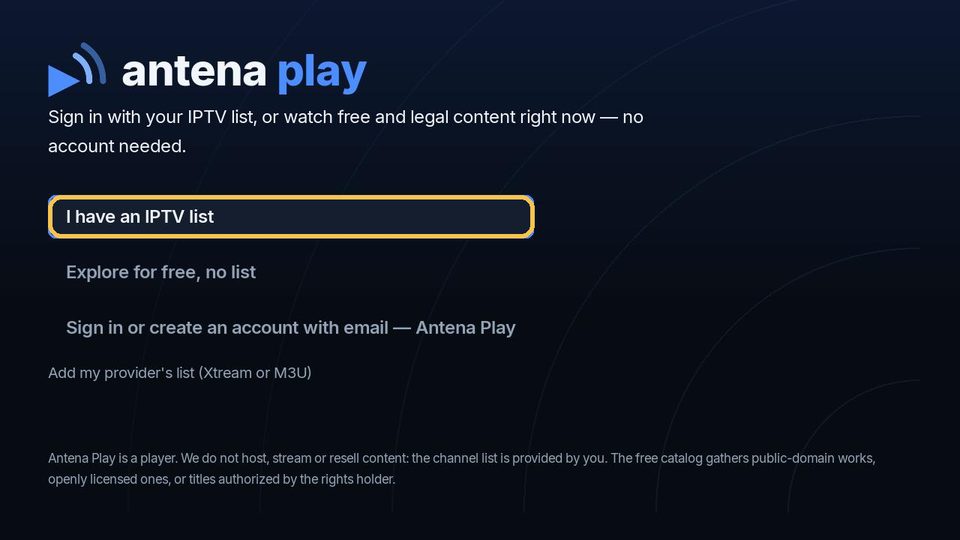
On the first screen, choose I have an IPTV list and press OK.
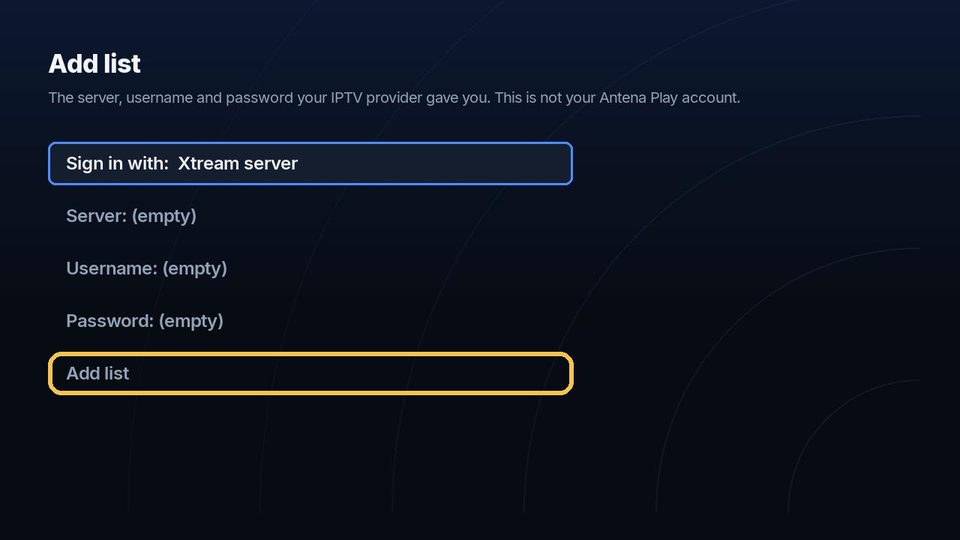
Under Sign in with, keep Xtream server, fill in the server, username and password your provider gave you and choose Add list.
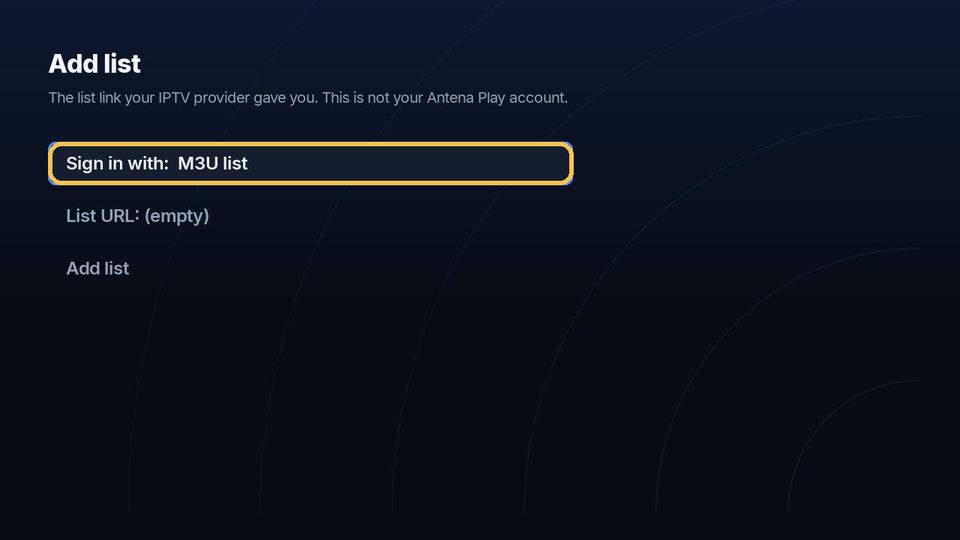
Got a link instead? Press OK on Sign in with to switch to M3U list, type the whole link in List URL and choose Add list. On the on-screen keyboard, the slash (/) is in the symbols (!?#$%&).
Another list, with the app in use
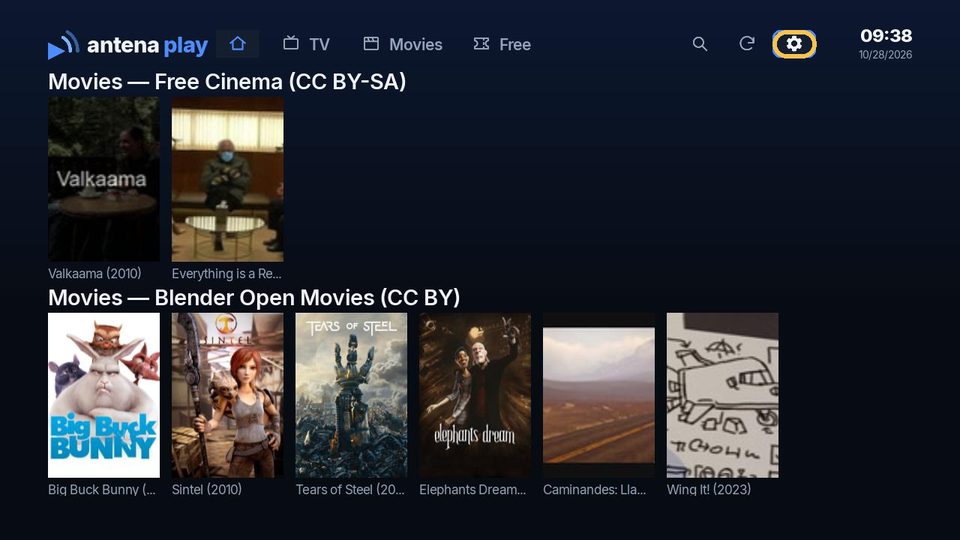
At the top of the screen, go to the gear and press OK.
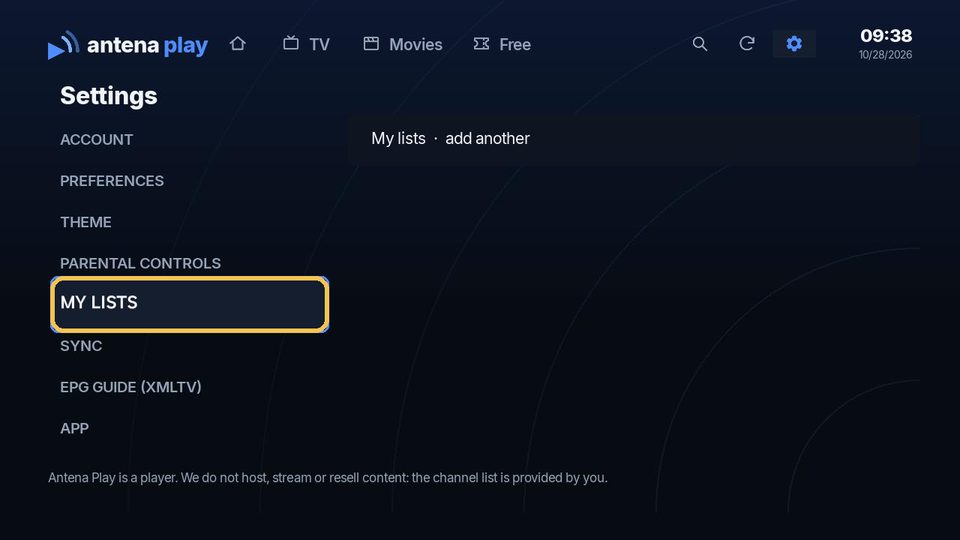
In Settings, choose My lists.
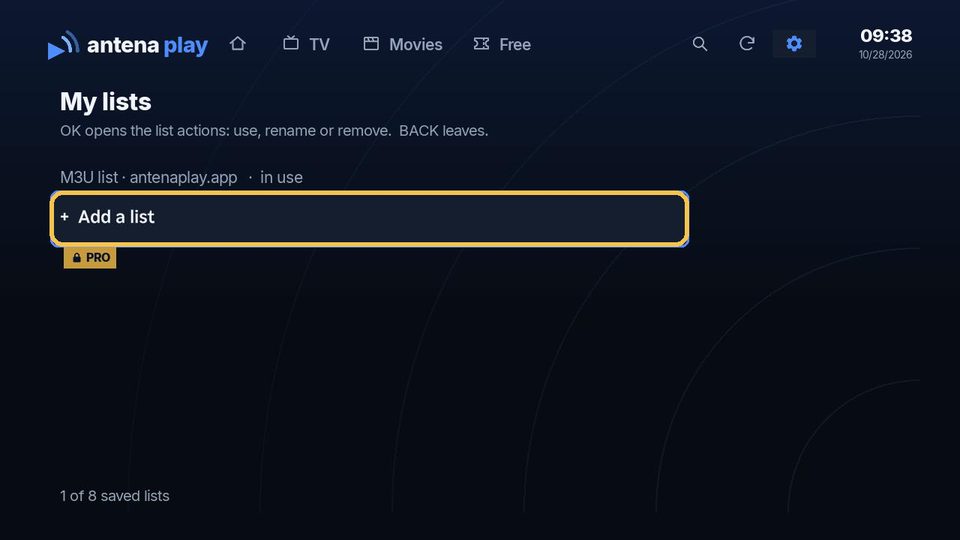
Choose Add a list and fill it in like the first one. More than one list is a Pro feature.
Went into the free content? The I have an IPTV list button at the top opens the same form. The details asked for are your list’s, from your provider, not your Antena Play account’s.
Sign in to your account
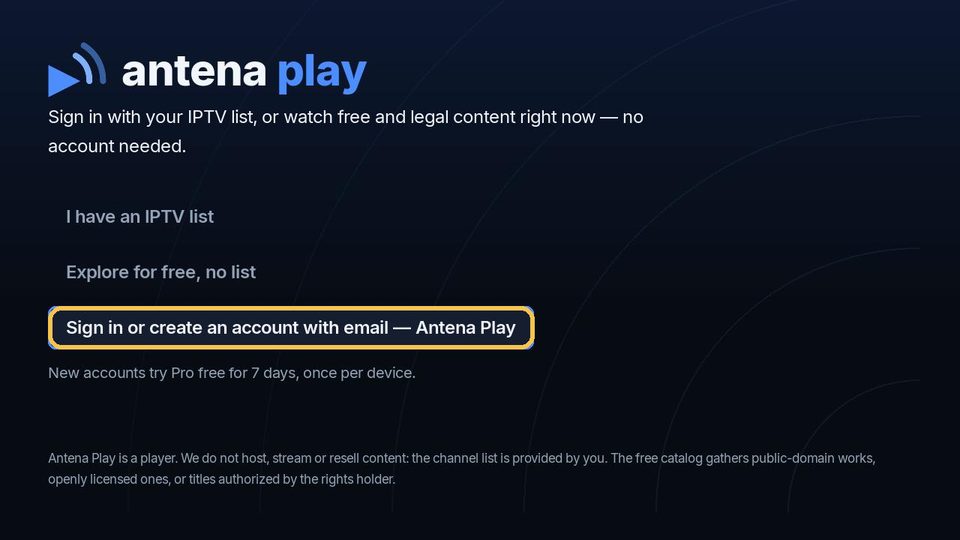
On the first screen, choose Sign in or create an account with email.
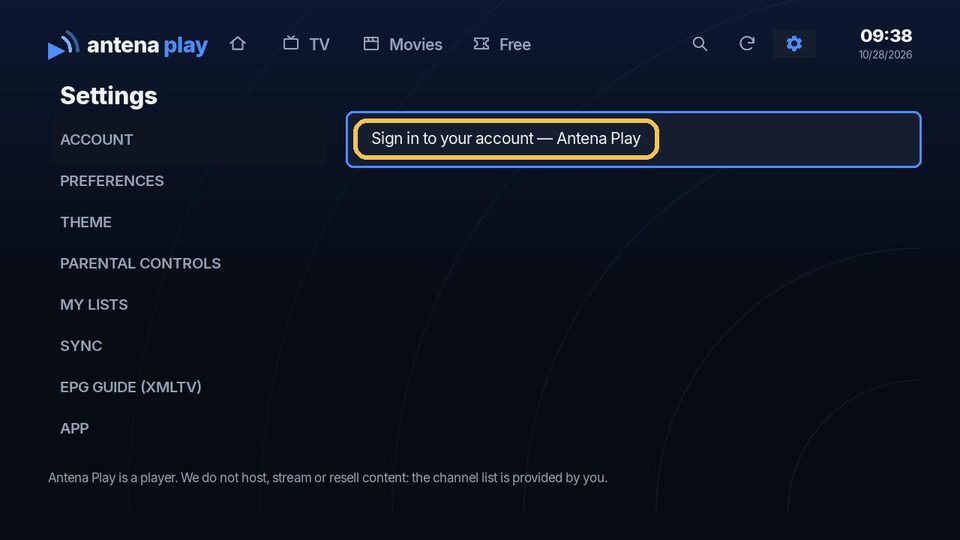
With the app in use, under the gear, in Settings, Account, choose Sign in to your account.
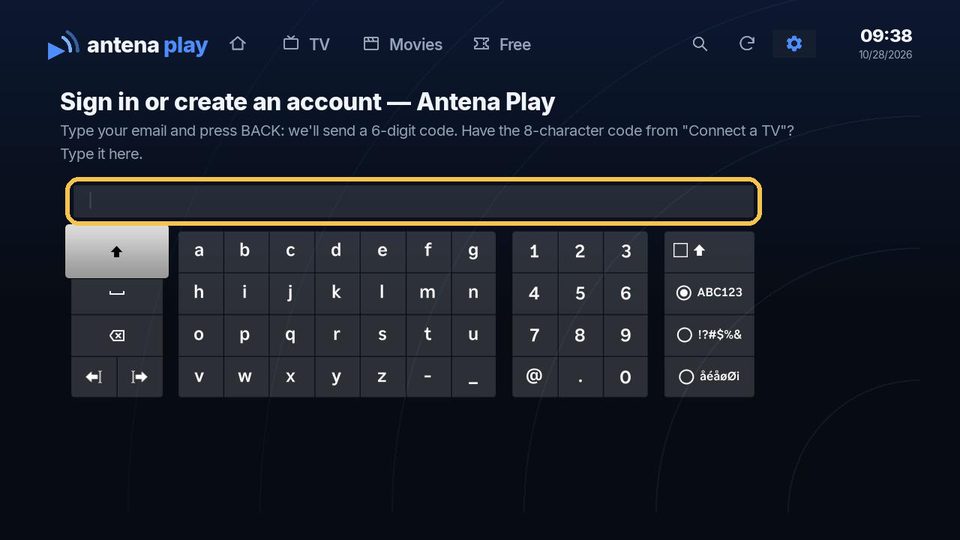
Type your email on the on-screen keyboard and press Back: a 6-digit code arrives in your email.
Type the code from the email on the Roku, and the account signs in. No account yet? It is created right there. The 8-character code from antenaplay.app/conta (Screens tab, Connect a TV) also works on that screen.
Subscribe to Pro
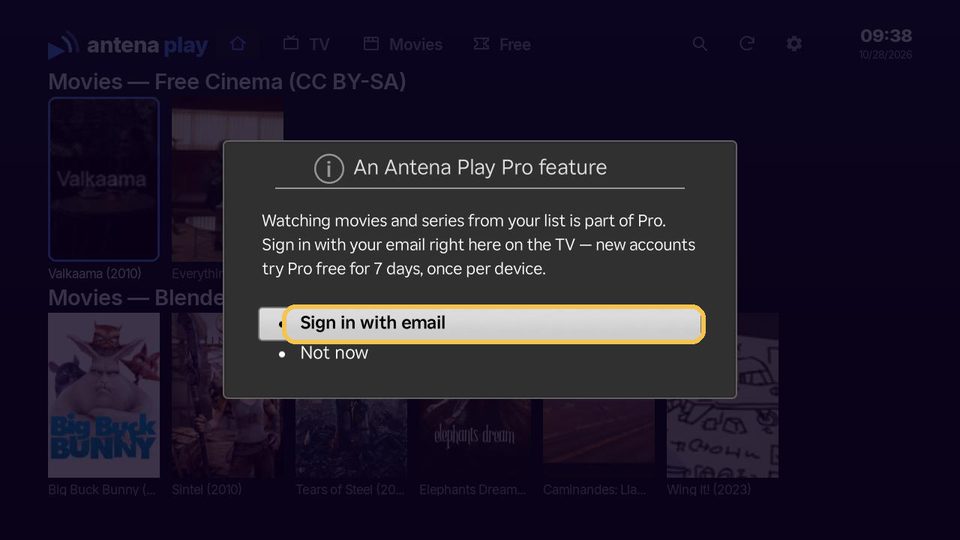
Opened a movie or series from your list without Pro? The Roku shows the Pro notice: choose Sign in with email and follow the steps above.
You subscribe on the website, at antenaplay.app/conta, with the same email. With your account connected, the Roku unlocks Pro on its own.
What you can do on Roku
Free
Live TV from your playlist by category, with artwork and search, plus the free catalog of openly licensed 4K shorts.
With Pro (try it free for 7 days)
Movies and series from your playlist, the program guide, parental controls, more than one playlist and sync of favorites and continue watching with your phone and other screens, up to 5 on one account. You subscribe on the website.
What you need
A Roku TV, Roku Express or Roku Stick with up-to-date software and a Roku account in one of the 18 stores where the app is available. A stable connection and an IPTV playlist of your own, in Xtream or M3U format.
What the app does not do
Antena Play is a media player: it does not sell, provide or recommend playlists, channels or servers. It opens the playlist that you already have the right to use, and whoever adds a playlist is responsible for it.
Frequently asked questions
Does it work on TCL, Hisense and other Roku TVs?
It works on any Roku TV with up-to-date software, from any brand, and on Roku Express and Roku Stick too.
Do I have to pay an activation or license fee?
No. The app is free to download and the live TV from your playlist works with no activation. Pro is optional and can be tried for 7 days.
I can't find the app in the Roku search.
Type antena and look for our logo in the Apps row. The app is in the Roku store of Brazil and 17 other countries; on a Roku account from another region, it may not show up.
How do I subscribe to Pro on Roku?
On the website, at antenaplay.app/conta. Then sign in with the same account on the Roku using the code from the Screens tab, and Pro turns on by itself.
Want the steps for every device? See How to install and How to use. Still have a question? The Help center has the answer.
© 2026 Antena Play · A MyProjects Studio product · B.B.C Suporte e Consultoria em Tecnologia Ltda
How to install on each device · How to use · Help · Terms of Use · Privacy Policy · antenaplay.app